
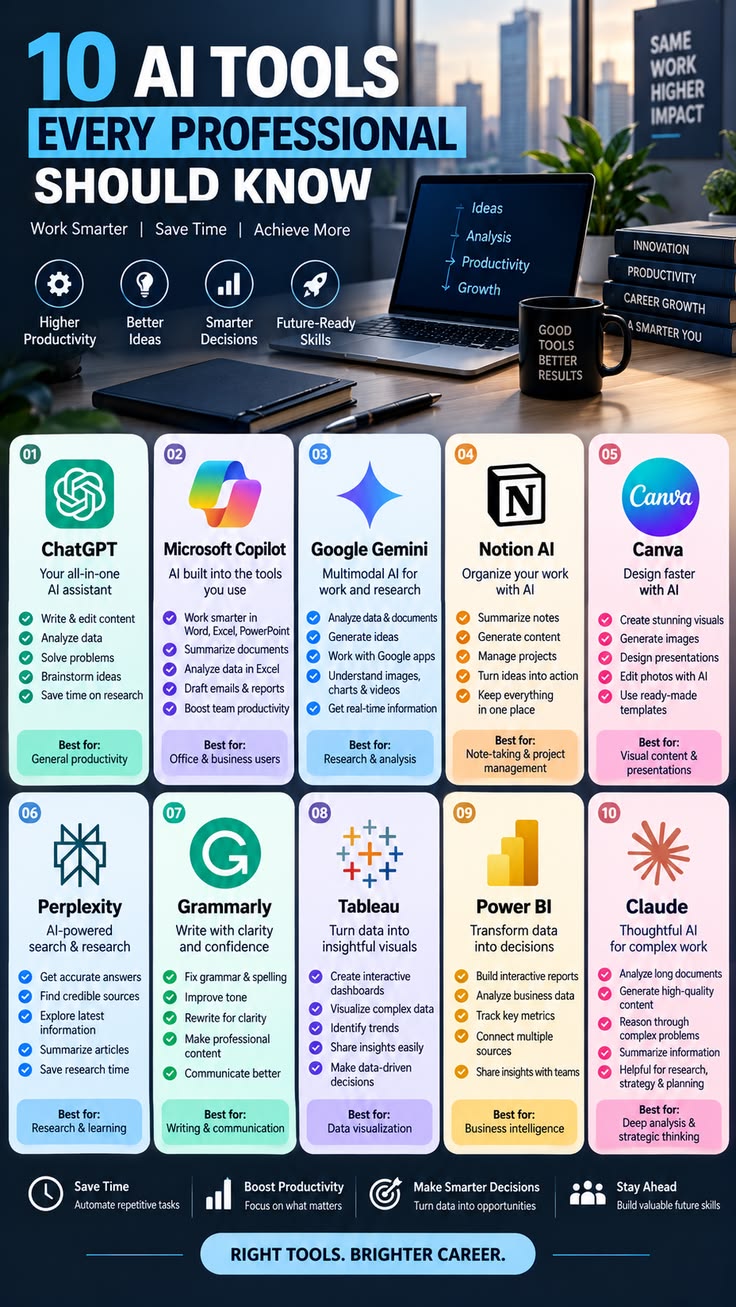
What Are the Best AI Tools for Professionals?
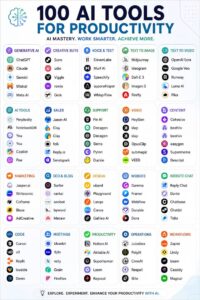
Artificial intelligence is becoming an increasingly important part of the modern workplace. Professionals in marketing, finance, education, technology, healthcare, business, design, and many other fields are using AI tools to save time, organize information, improve productivity, and complete everyday tasks.
The best AI tool depends on what you want to accomplish. Some tools are designed for writing and research, while others focus on meetings, design, data analysis, coding, or business operations.
Understanding the different types of AI tools can help professionals choose technology that fits their work and career goals.
1. AI Writing Tools
AI writing tools are among the most widely used technologies by professionals. They can help users create drafts, improve grammar, rewrite paragraphs, summarize documents, generate ideas, and adjust the tone of written content.
Writers can use these tools to develop outlines and improve drafts. Marketing professionals can use them to brainstorm campaign ideas and create content variations. Business professionals can use them to draft emails, reports, and internal documents.
However, AI-generated writing should always be reviewed before it is published or sent. Professionals should check facts, remove unnecessary information, and make sure the final content reflects their own voice and knowledge.
2. AI Research Tools
Research can take a significant amount of time, especially when professionals need to examine large amounts of information.
AI research tools can help summarize documents, organize information, identify important points, and explore different aspects of a topic.
For example, a business professional researching an industry could use AI to organize information about competitors, customers, market trends, and potential opportunities.
AI should not replace careful research. Important claims should be verified using reliable sources, especially when the information could affect financial, legal, medical, or business decisions.
3. AI Productivity Tools
Professionals often spend a large part of their working day managing tasks, notes, schedules, and documents.
AI-powered productivity tools can help reduce some of this workload. Depending on the platform, they may assist with creating task lists, organizing notes, summarizing information, managing schedules, and automating repetitive workflows.
For example, instead of manually turning meeting notes into a task list, an AI tool may help identify action items and organize them.
This can allow professionals to spend more time on important work instead of repetitive administrative tasks.
4. AI Design Tools
Design professionals and content creators can use AI tools to generate images, graphics, presentations, concepts, and other visual materials.
These tools can be particularly useful during the early stages of a project. A designer can use AI to explore different concepts before developing the final design.
Marketing teams can also use AI to create visual ideas for advertisements, social media content, presentations, and campaigns.
AI design tools do not eliminate the need for professional designers. Human creativity, brand knowledge, visual judgment, and understanding of the target audience remain important.
5. AI Data Analysis Tools
Data is an important part of decision-making for many organizations. AI tools can help professionals work with large amounts of information more efficiently.
Depending on the tool, AI can help identify patterns, summarize datasets, create charts, explain trends, and assist with spreadsheet analysis.
For example, a sales professional might use AI to examine sales information and identify which products are performing strongly.
However, professionals should understand the data they are analyzing. AI-generated results should be checked for errors before they are used to make important decisions.
6. AI Coding Tools
Software developers can use AI coding assistants to improve their programming workflow.
These tools can generate code, explain programming concepts, identify possible errors, suggest improvements, and help developers complete repetitive coding tasks.
For beginners, AI can also act as a learning assistant by explaining programming concepts in simpler language and providing examples.
Experienced developers can use AI to speed up certain parts of development while continuing to review and test the generated code.
AI-generated code should never automatically be assumed to be correct or secure. Developers still need to test their applications and understand the code they use.
7. AI Meeting Assistants
Meetings can produce large amounts of information, and remembering every important detail can be difficult.
AI meeting assistants can help process meeting conversations and create summaries or identify action items, depending on the features of the specific tool.
This can be useful for managers, sales teams, project teams, consultants, and remote workers.
Instead of spending significant time manually organizing notes after a meeting, professionals can use AI assistance to create an initial summary and then review it for accuracy.
Privacy and consent are important considerations when using AI tools that process meeting conversations or recordings.
8. AI Customer Service Tools
Businesses are increasingly using AI to support customer service operations.
AI chatbots and virtual assistants can respond to common questions, provide basic information, and direct customers toward relevant resources.
This can help businesses respond to routine inquiries more quickly.
However, complex complaints and sensitive situations may still require human customer-service representatives. AI works best when it supports employees rather than being relied upon for every customer interaction.
9. AI Marketing Tools
Marketing professionals can use AI for many different tasks, including brainstorming, customer research, content planning, advertising ideas, and data analysis.
AI can help marketers generate multiple ideas quickly and organize information about audiences and campaigns.
For example, a marketing team could use AI to develop several headline ideas for an advertising campaign and then select and improve the most appropriate options.
Human creativity and knowledge of the target audience remain essential because effective marketing requires more than simply generating content.
10. AI Tools for Business Professionals
Business owners and managers can also use AI to support everyday operations.
AI can assist with planning, document creation, customer communication, market research, data analysis, and workflow automation.
Small businesses may particularly benefit from AI because these tools can help individuals handle tasks that might otherwise require additional time or resources.
Business professionals should still consider privacy, security, accuracy, and cost when introducing AI into their operations.
How Should Professionals Choose an AI Tool?
There is no single AI tool that is perfect for every professional.
Before choosing a tool, consider what problem you are trying to solve. A writer may need a different tool from a software developer, while a financial analyst may have different requirements from a graphic designer.
Here are several factors to consider:
Features: Does the tool provide the functions you actually need?
Ease of use: Can you learn the platform without spending too much time?
Accuracy: Does it produce reliable results for your type of work?
Privacy: How does the tool handle the information you provide?
Cost: Does the price make sense for your budget and usage?
Integration: Can it work with the software and systems you already use?
Security: Does it provide appropriate protections for professional information?
Taking these factors into account can help you choose technology more carefully.
How Can Professionals Use AI Responsibly?
AI can increase productivity, but responsible use is important.
Professionals should avoid entering confidential information into tools unless they understand how that information is handled. They should also verify important facts and review AI-generated content before using it.
AI should support professional judgment rather than completely replace it.
For example, an accountant should review AI-generated financial information, a marketer should check campaign content, and a developer should test AI-generated code.
The more important the decision, the more carefully the AI output should be reviewed.
Final Thoughts
AI tools can help professionals save time, improve productivity, organize information, and explore new ideas. From writing and research to design, coding, data analysis, marketing, and meetings, there are AI applications for many different types of work.
The best AI tool is not necessarily the one with the most features. It is the tool that solves a real problem and fits naturally into your workflow.
Professionals who learn how to use AI while maintaining strong communication, creativity, critical thinking, and industry knowledge can better adapt to an increasingly technology-driven workplace.